In this post, I’ll show you how to export all Microsoft Teams channels along with their channel moderation status to a CSV file. This information is often required during Teams migration projects, security reviews, or for auditing purposes.
To achieve this, we’ll use a Microsoft Graph PowerShell script. First, we’ll connect to Microsoft Graph using the required permissions listed below. We’ll then run a PowerShell script that retrieves the channel information, including the moderation status, displays the results on the console, and also exports them to a CSV file for further analysis. Before starting, ensure that you have the Global Administrator role PIM role.
- Open PowerShell 7.0 console. If you have not installed PowerShell 7.0, refer to the link: Install PowerShell 7.
- Install the Microsoft Graph PowerShell module.
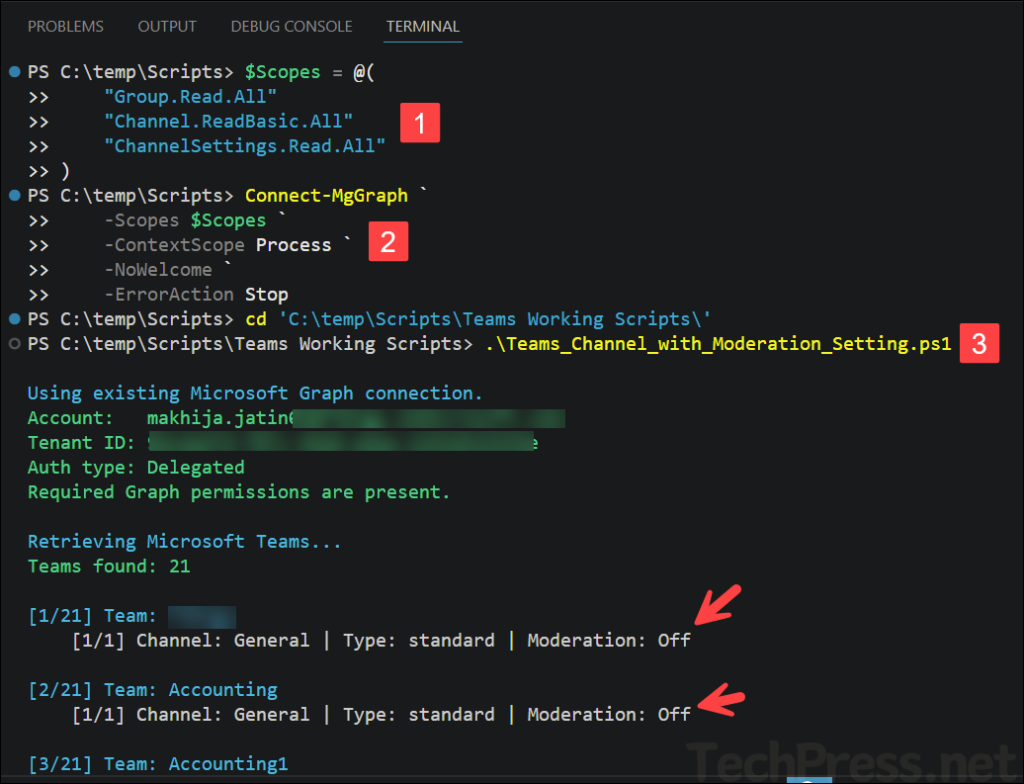
- Use the code below on the PowerShell console to set the
$Scopesvariable.
$Scopes = @(
    "Group.Read.All"
    "Channel.ReadBasic.All"
    "ChannelSettings.Read.All"
) - Next, use the Connect-MgGraph cmdlet to connect to Microsoft Graph using the $scopes variable defined in the previous step.
Connect-MgGraph `
    -Scopes $Scopes `
    -ContextScope Process `
    -NoWelcome `
-ErrorAction Stop- Download the PowerShell script from my GitHub repository: GitHub – Teams_Channel_with_Moderation_Setting.ps1.
- Execute the PowerShell script. You can directly run the script or add the
-ExportPathswitch and provide the path where the exported CSV file will be created.
.\Teams_Channel_with_Moderation_Setting.ps1.\Teams_Channel_with_Moderation_Setting.ps1 -ExportPath C:\temp\Channel_mod_details.csv
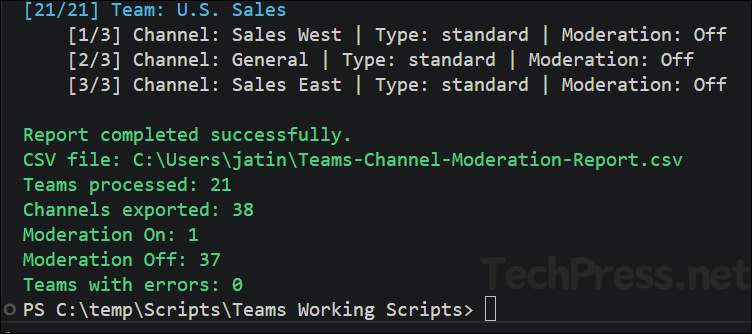
The screenshot below shows that the script completed successfully. It displays the list of processed Teams along with the number of channels that have moderation turned On or Off.
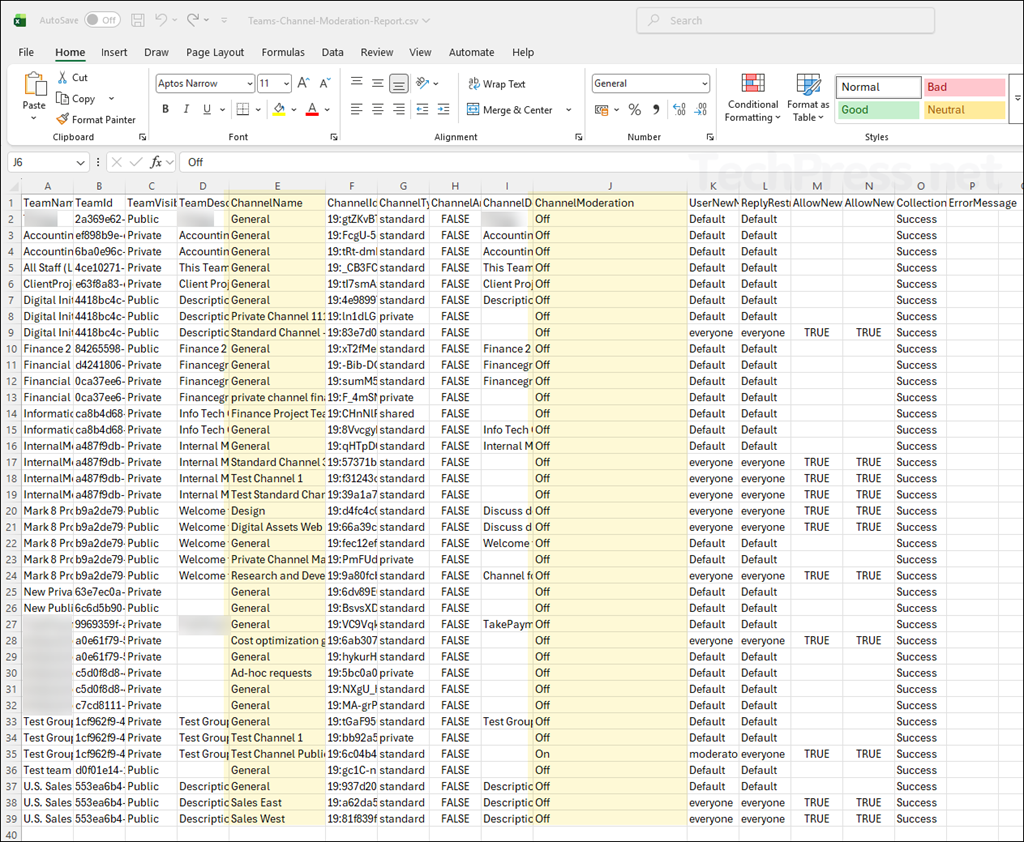
The exported CSV file will contain below columns:
TeamName
TeamId
TeamVisibility
TeamDescription
ChannelName
ChannelId
ChannelType
ChannelArchived
ChannelDescription
ChannelModeration
DefaultModerators
ExplicitChannelModerators
UserNewMessageRestriction
ReplyRestriction
AllowNewMessageFromBots
AllowNewMessageFromConnectors
CollectionStatus
ErrorMessage